The spoilboard is one of the most overlooked components of a CNC router setup, right up until it starts causing problems. A flat, well-maintained spoilboard is the foundation of consistent cut depth, reliable workholding, and clean through-cuts. A worn or neglected one introduces variability that shows up as inconsistent part quality and wasted stock.
When to Surface, Replace, or Fly Cut Your CNC Spoilboard
Surface the Spoilboard When It Is No Longer Flat
If a straightedge or dial indicator shows the surface is out of flat, surface it before the deviation affects part quality.
Fly Cut the Spoilboard to Restore a Parallel Cutting Surface
Run a large-diameter surfacing bit across the full board in a shallow pass to bring the surface back into parallel with the machine's cutting plane. Do this whenever the board is installed new or flatness checks reveal deviation.
Replace the Spoilboard When It Is Too Thin, Damaged, or No Longer Holding Work Properly
When the board is too thin to provide adequate support, T-slot inserts are failing, or the surface is too damaged to resurface flat, replace it.
Follow a Regular Spoilboard Maintenance Schedule
Build surfacing and flatness checks into routine machine maintenance rather than waiting for problems to appear in finished parts.
What Is a CNC Spoilboard?
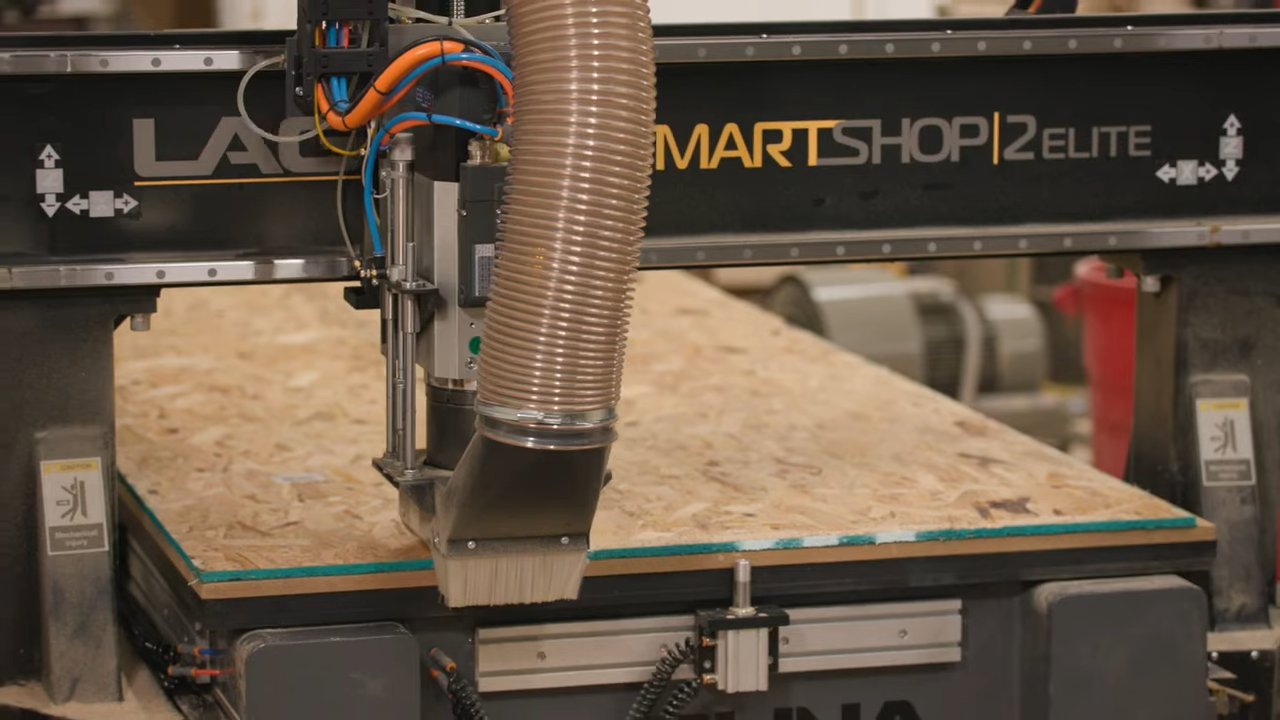
A spoilboard is a sacrificial flat surface mounted to the CNC router table beneath the workpiece. It protects the machine bed from through-cuts and provides a consistent flat reference surface for workpieces to register against. Most spoilboards are MDF, designed to be surfaced periodically and replaced when they become too thin to function properly.

Why Spoilboard Flatness Matters
Keeps the Cutting Surface Parallel to the Machine
If the spoilboard is not parallel to the router's XY plane, effective cutting depth varies across the work area in ways the toolpath cannot compensate for.
Helps Maintain Consistent Cut Depth
Even small deviations in flatness affect cut depth consistency, leaving thin webs on through-cuts or varying pocket depths across a part.
Supports Better Workholding
High spots or hollows in the spoilboard create gaps that reduce vacuum holddown effectiveness and allow workpiece movement during cutting.
Reduces Cutting Errors From an Uneven Surface
A warped or worn spoilboard is a common hidden cause of parts that do not meet spec. Resurface before blaming the machine or the file.
Best Spoilboard Materials
MDF Spoilboards
MDF is the standard choice: dimensionally stable, machines cleanly, surfaces evenly, and inexpensive enough to replace regularly. Industrial or furniture-grade MDF at 3/4" thickness is the most common starting point.
Other Spoilboard Material Options
HDPE and phenolic spoilboards are more durable than MDF and better suited to wet environments or coolant use, but cost more and are harder to source.
What to Look for in Spoilboard Material
Density consistency and dimensional stability matter most. Low-grade MDF with density variation will not surface evenly and will not hold vacuum consistently.
How to Install a CNC Spoilboard
Prepare the CNC Router Table
Clean the machine table before installation. Chips or debris between the table and spoilboard create high spots that surfacing cannot fix.
Secure the Spoilboard
Fasten the spoilboard using T-slots, bolts through the edges, or screws into the table depending on the machine. It should sit flat with no movement.
Check Alignment Before Surfacing
Confirm the board is fully seated and secured before running the surfacing pass. A board that shifts during surfacing will not be parallel when done.
Confirm the Spoilboard Is Ready for Use
After surfacing, verify flatness across the full work area with a dial indicator before running any jobs.
How to Surface or Fly Cut a CNC Spoilboard
Use a Spoilboard Surfacing Bit
A spoilboard surfacing bit (also called a fly cutter) is a large-diameter cutter designed for wide, shallow passes. Diameters typically range from 1" to 3"; larger bits cover more area per pass.
Set the Correct Cutting Depth
Remove just enough material to restore flatness, typically 0.01" to 0.03" per pass. Removing more than necessary shortens spoilboard life without improving results.
Flatten a Warped or Non-Parallel Spoilboard
For a significantly warped board, take multiple shallow passes starting at the highest point rather than one deep pass.
Check the Surface After Cutting
Verify flatness with a straightedge or dial indicator after surfacing before resuming production.
Spoilboard Surfacing Tips and Common Mistakes
Avoid Cutting Too Deep
Shallow passes preserve spoilboard life. There is no benefit to removing more material than flatness requires.
Use the Right Surfacing Bit
A dull surfacing bit leaves marks and does not produce a truly flat result. Replace or sharpen regularly.
Keep the Surface Clean
Brush or vacuum the spoilboard before each job to remove chips and debris that affect vacuum holddown and workpiece registration.
Check Flatness Regularly
Do not rely on visual inspection. A dial indicator run across the bed reveals deviation that looks flat to the eye.
Do Not Wait Too Long to Replace the Spoilboard
A spoilboard surfaced below usable thickness will not support work properly or hold vacuum effectively. Replace before it affects production quality.
CNC Spoilboard Maintenance Schedule
Daily or Regular Cleaning
Vacuum or brush the surface before each production session and remove debris from through-cut channels.
Routine Flatness Checks
Check flatness weekly or after any event that might affect the board such as a deep through-cut or material impact.
Scheduled Surfacing
Surface on a regular schedule based on production volume, not just when problems appear. Many shops surface monthly or at the start of each major project.
Replacement When the Board Is Worn Out
Track thickness after each surfacing pass and establish a minimum threshold. Replace before reaching it.

CNC Spoilboard FAQs
What is a CNC spoilboard?
A sacrificial flat surface mounted to the CNC router table that protects the machine bed from through-cuts and provides a flat reference for workpieces.
How do I surface a CNC spoilboard?
Use a large-diameter surfacing bit to take a shallow pass across the full board, removing just enough material to restore parallel with the machine's cutting plane. Check flatness afterward before running jobs.
What is a spoilboard router bit?
A large-diameter cutter designed for wide, shallow material removal, used to flatten and resurface the spoilboard. Also called a fly cutter or surfacing bit.
What is a spoilboard router bit used for?
Surfacing the spoilboard flat after installation or when flatness checks reveal deviation. Not intended for cutting workpiece material.
What is the best MDF for a CNC spoilboard?
Industrial-grade or furniture-grade MDF with consistent density. Avoid low-grade MDF, which will not surface evenly or hold vacuum reliably.
When should I replace my CNC spoilboard?
When it has been surfaced too thin to support work properly, when inserts or T-slot connections are failing, or when the surface is too damaged to resurface flat.